The Pullbase web UI offers a fast way to review environments, manage users, and issue agent tokens. Use it alongside the CLI and API for visibility and manual operations.
Sign-in
- Visit your Pullbase URL (e.g.,
http://localhost:8080 for development or https://pullbase.example.com for production).
- Enter the admin or user credentials created during bootstrapping.
- The session cookie stores a JWT; sign out via the avatar menu when finished.
Dashboard
The landing page summarizes key metrics:
- Environment count and drift status
- Recent activity feed (status reports, token creation, rollbacks)
- Quick links to environments and servers
Environments view
Navigate to Environments to manage Git metadata.
- Search or filter environments by name
- Inspect repository URL, branch, deploy path, and target commit hash
- Toggle auto-reconcile, edit metadata, or delete the environment
- Initiate rollbacks and view rollback history
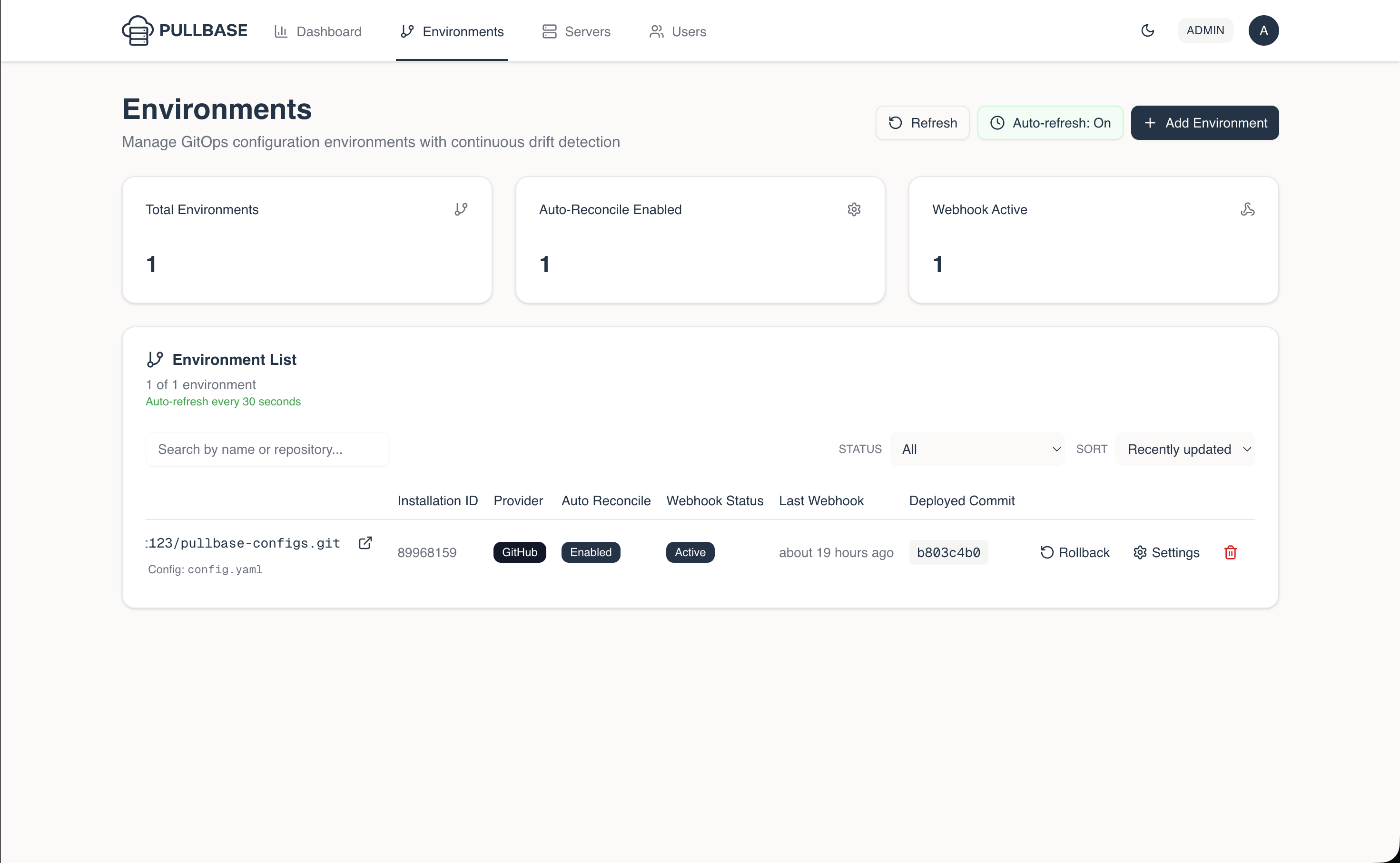
Pullbase Environment View
Servers View
Navigate to Servers to see all Pullbase managed servers.
- Search or filter servers by name
- Inspect environment association and status
- View last applied commit and drift status
Server detail view
From an environment page, choose a server to see its status timeline.
- View last applied commit, drift flag, and timestamps
- Monitor reconciliation history and error messages
- Issue or revoke agent tokens directly from the server page
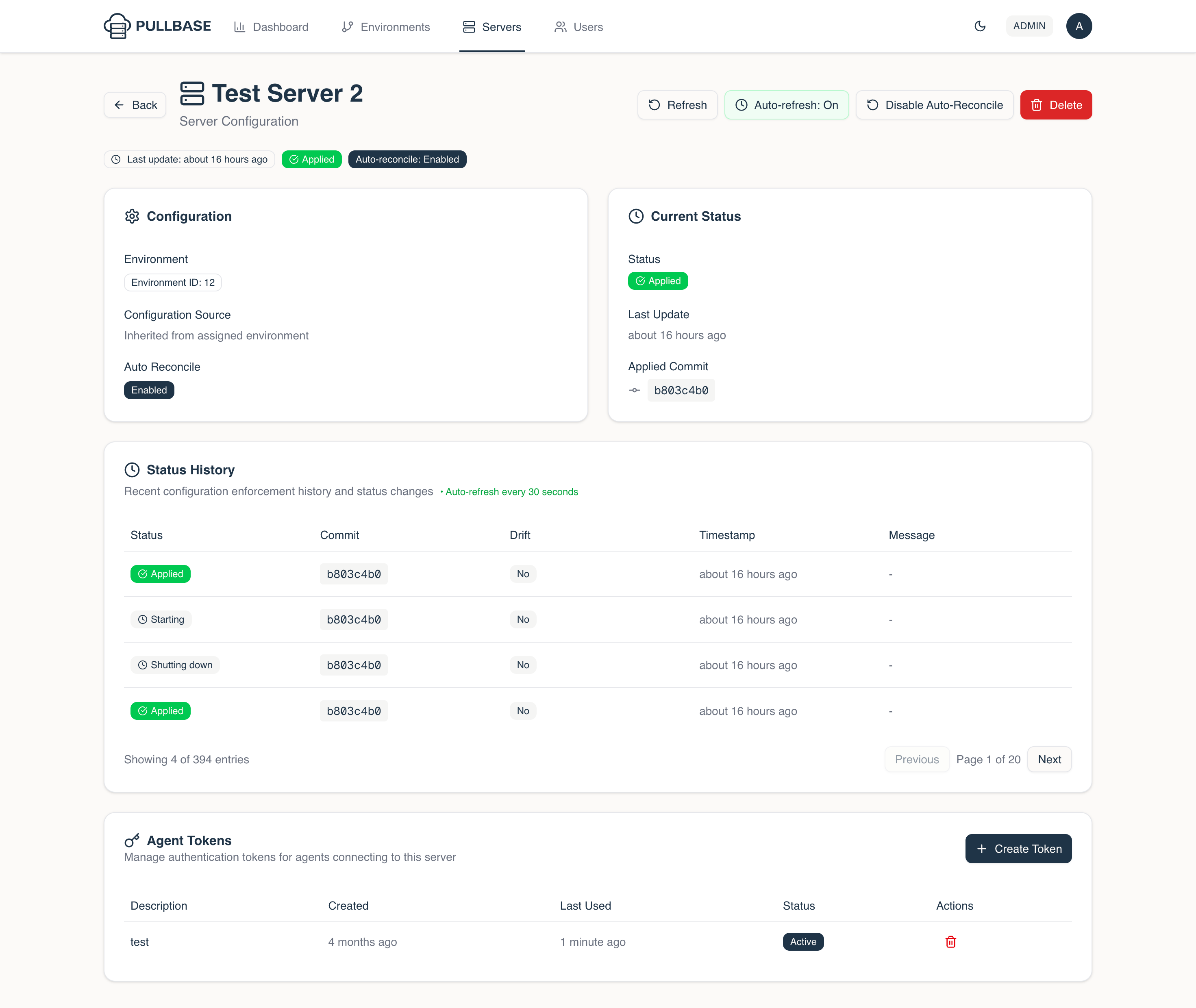
Pullbase Server Detail View
Token management
- Use Add Token to generate a new agent token
- Tokens include description and optional expiration date
- Copy the token immediately; Pullbase never shows the secret again (tokens are hashed at rest)
Rotate tokens by creating a new one, updating the agent, and then revoking the old token. Avoid deleting active tokens before the agent refreshes.
User management
Accessible via Settings → Users (admins only).
- Create, list, or delete users
- Set roles (
admin, user, viewer)
- Deletion requires typing the username to confirm; Pullbase blocks deletion of the last active admin or your own account
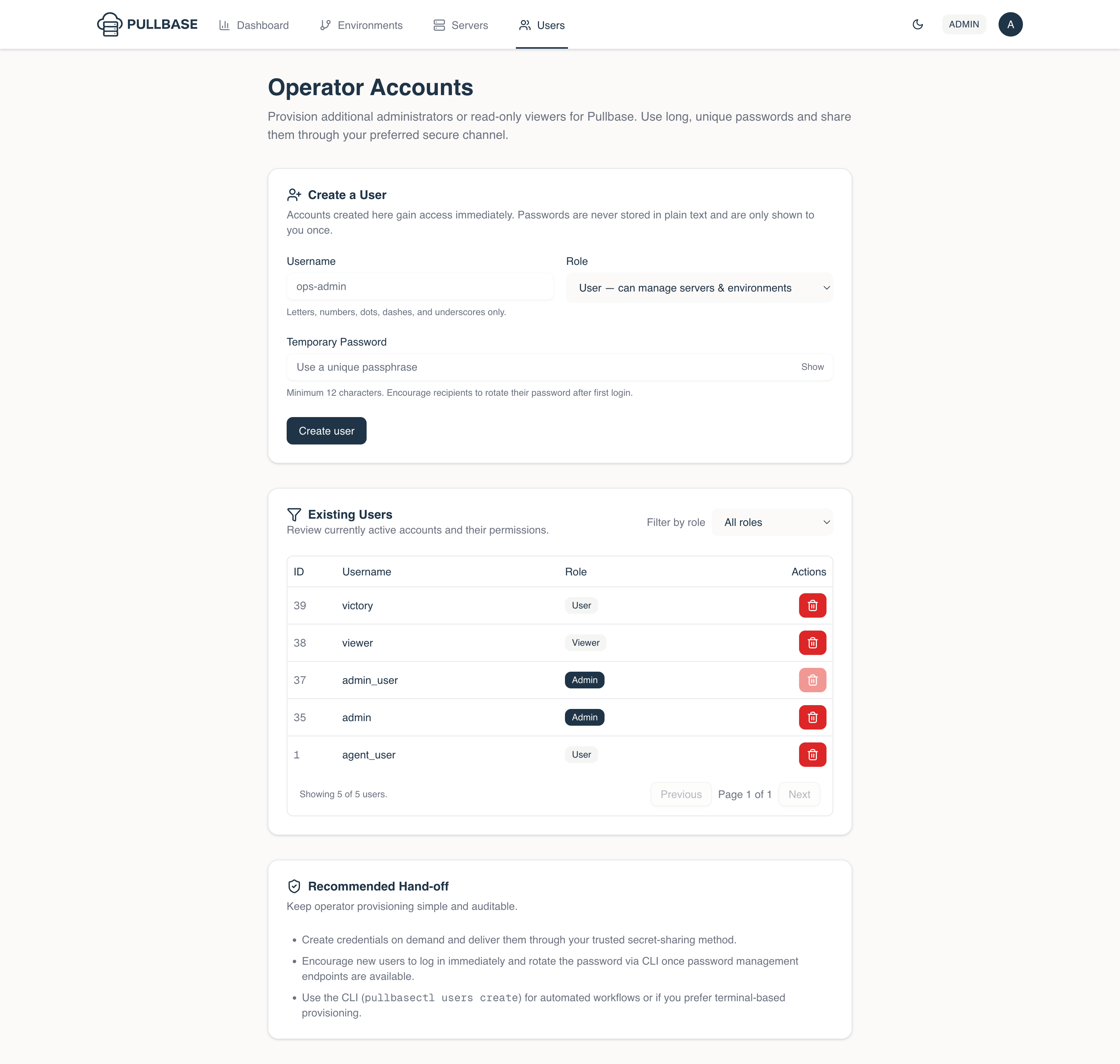
Pullbase User Management View


