

Components
Central server
Go application that exposes the REST API, web UI, and webhook endpoints. It manages environments, servers, tokens, audit logs, and status history.
Database
SQLite (default) for zero-config deployment, or PostgreSQL for scale. Stores configuration and operational data. Migrations run automatically on startup.
Agent
Lightweight binary that authenticates with a scoped token, clones the config repo, reconciles packages/services/files, and reports drift.
Git repository
Contains
config.yaml files. Environments point to a repo, branch, and path. Pullbase reads Git to compute the target commit hash.Server internals
- HTTP stack: REST APIs with middleware for authentication, CSRF protection, structured logging, and request tracing.
- Data access: Database repository layer (SQLite or PostgreSQL) that stores environments, servers, tokens, rollbacks, users, and audit history.
- Git monitor: Watches repositories for new commits via webhooks or polling and keeps the environment target commit current.
- Webhook router: Validates HMAC signatures, queues events, and updates environment target commits immediately.
- Audit logging: Actions like user creation, token issuance, and rollbacks are persisted for later review.
Agent internals
The agent is built with pluggable package and service managers: Package managers (auto-detected):- APK (Alpine Linux)
- APT (Debian, Ubuntu)
- YUM/DNF (RHEL, CentOS, Rocky Linux, Fedora)
- systemd (most modern distributions)
- supervisor (Docker containers, custom setups)
- OpenRC (Alpine Linux, Gentoo)
system.serviceManager field in config.yaml can override auto-detection when needed.
Agent workflow
- Fetch public server info from
GET /api/v1/serverinfo/{serverID}to get Git configuration. - Authenticate with
AGENT_TOKENand fetch full server info viaGET /api/v1/agent/serverinfo. - Obtain a Git credential via
GET /api/v1/agent/git-tokenif the environment uses a GitHub App. - Clone or update the repository under
/etc/pullbase/repo. - Parse
config.yamland reconcile packages, services, and files using the detected managers. - Post a status update to
PUT /api/v1/agent/status, including commit hash, drift flag, and error messages.
Data flow overview
- Merging a commit triggers a webhook (or is detected via polling).
- Pullbase stores the new
deployed_commitfor the environment. - Agents poll on a fixed 60-second interval (configurable via
PULLBASE_GIT_POLL_INTERVAL). - Agents reconcile to the new commit and report status history entries.
- Operators review drift, roll back, or adjust configuration via Git.
- Notification webhooks fire for drift or apply errors (when configured).
Network architecture
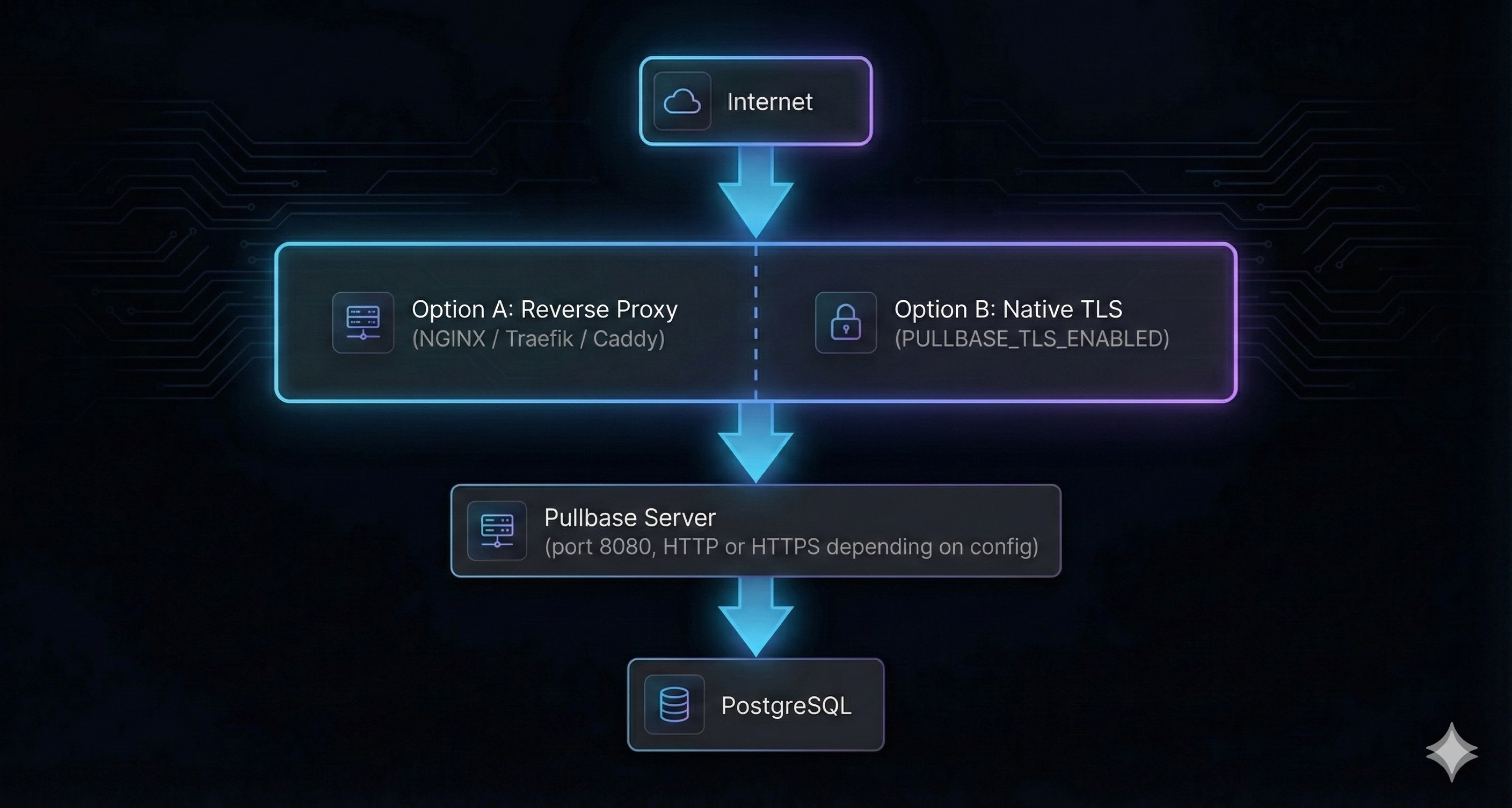
Pullbase supports two TLS approaches: (A) reverse proxy termination, or (B) native TLS via
PULLBASE_TLS_ENABLED=true. For production, always use TLS. Agents connect to the HTTPS endpoint regardless of which approach you choose.Scaling considerations
- Single-node: SQLite is the default — no external database required. Perfect for single-instance deployments.
- Production scale: Switch to PostgreSQL (
PULLBASE_DB_TYPE=postgres) when you need high availability or manage hundreds of servers. - High availability: Run multiple Pullbase replicas behind a load balancer (requires PostgreSQL). Sessions are JWT-based and stateless.
- Networking: Agents require outbound HTTPS to the reverse proxy and Git provider. Pullbase requires outbound HTTPS to Git provider (for GitHub Apps and webhooks).
Rollback mechanics
- Rollbacks (
POST /api/v1/environments/{id}/rollback) create a record, set the environment’s deployed commit to the selected hash, and notify agents on their next poll. - Agents revert state to the specified commit. Package downgrades rely on package manager capabilities; test in staging before production rollbacks.
Observability hooks
- Logs: Central server logs are structured (JSON when configured). Agents log reconciliation details at info/debug levels.
- Health endpoint:
/api/v1/healthzreturns status and service name. - Future metrics: Prometheus metrics are on the roadmap; integrate container logs with your monitoring pipeline meanwhile.